PaperGrid Scanner · Android app
Turn paper into Excel, Word & PDF.
No retyping. No subscription. The files you make stay on your phone.
Photos are sent to an AI service only to be read — our server doesn’t store them.
Real example
From a paper invoice to a spreadsheet
A sample invoice, read by AI through PaperGrid’s server at the Standard level, then saved as an Excel file. The table shows the AI’s actual answer.
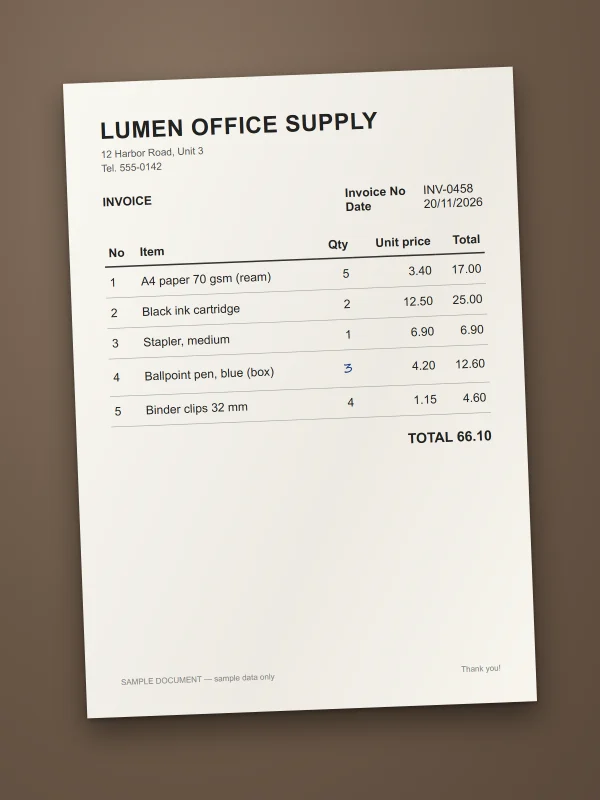
1 · PhotoA sample invoice on a desk. PaperGrid finds the paper edges and crops it automatically. 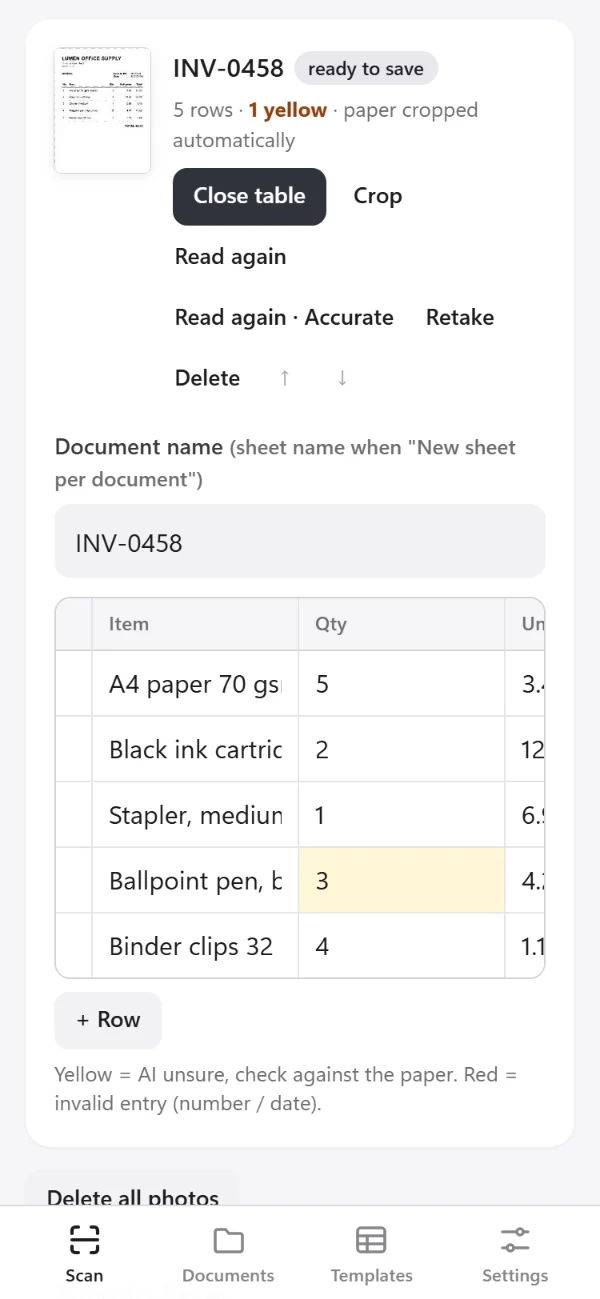
2 · AI reads, you checkEach line becomes a row in your columns. The handwritten quantity is marked yellow: the AI is unsure, so compare it with the paper. 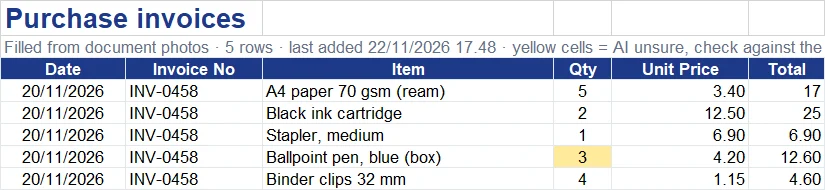
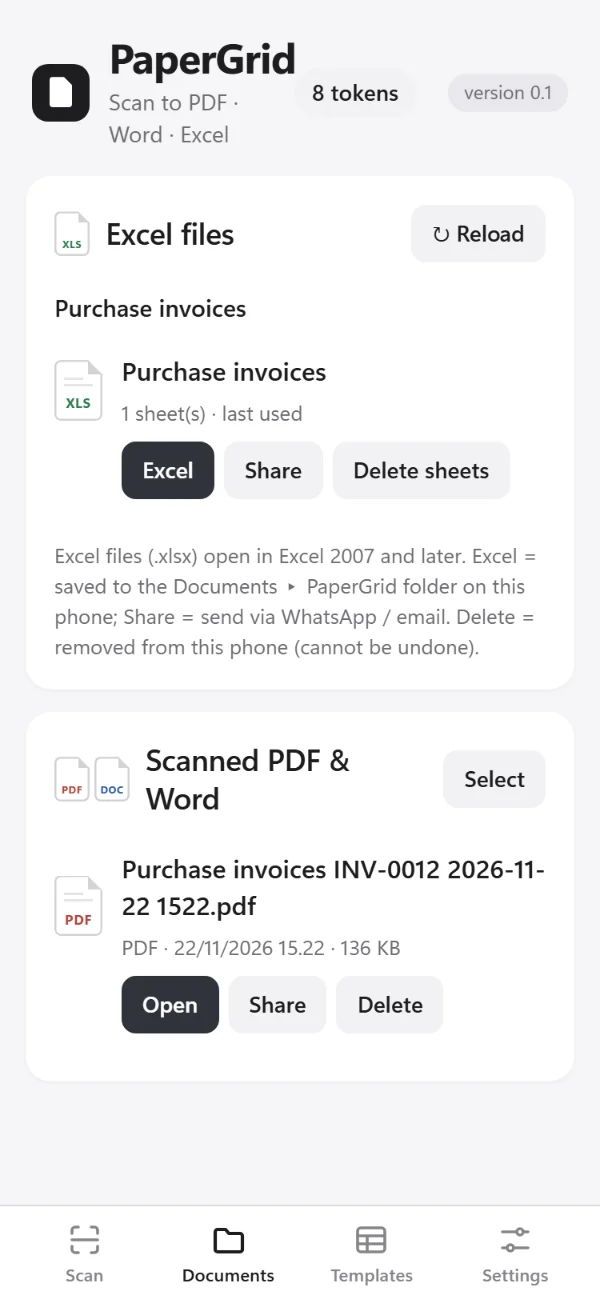
3 · Excel fileThe .xlsx saved on the phone, opened in Microsoft Excel.
Sample data, not a real company. AI results can contain mistakes — always check them before you use them.
How it works
Three steps, no typing
Photograph
Photograph the pages or pick a PDF file — up to 50 pages at once. The paper edges are found automatically.
AI reads
AI copies each page into the columns of your own template, or into a document you can edit. You choose the reading level.
Check & save
Fix any cell, then save as .xlsx, .docx or PDF on your phone and share it via WhatsApp or email.
Features
Built for photo-to-Excel
Photo to Excel
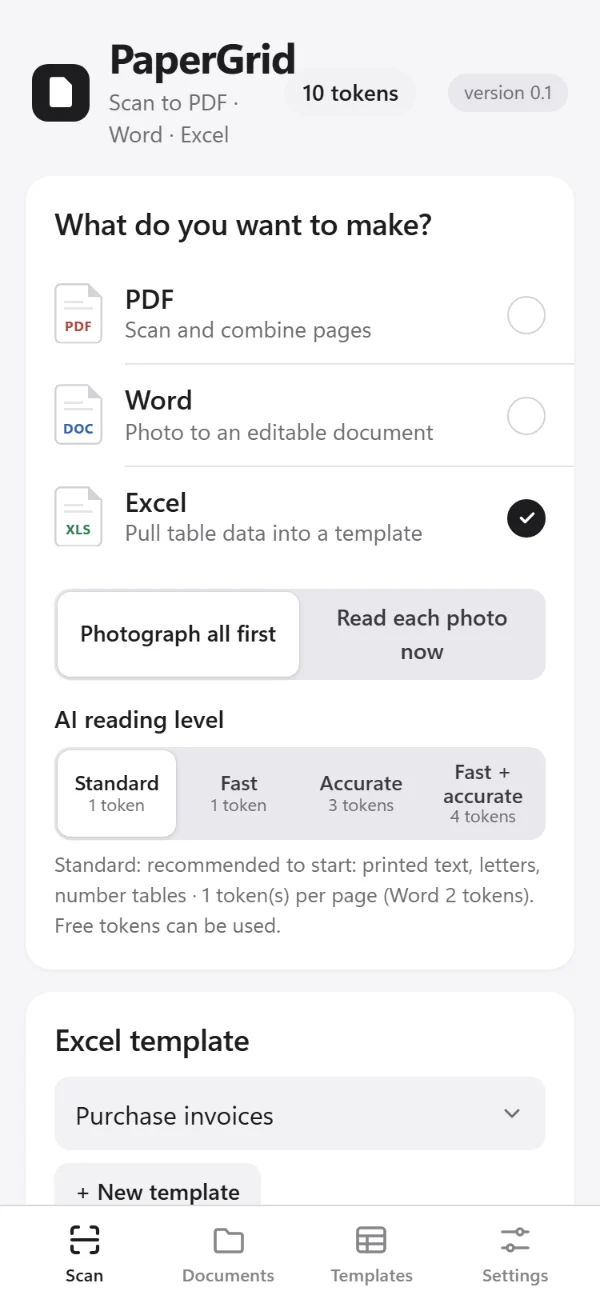
Photograph invoices, forms or printed tables; AI fills the columns of your own template and saves an .xlsx file on your phone.
- Up to 50 pages at once, or pick a PDF file
- Many documents in one sheet, or one sheet per document
- Your columns: from your Excel file, a photo of the table, or typed
- Unsure cells marked yellow, invalid numbers or dates red
- Opens in Excel 2007 and later
Editable Word document
AI copies each page into a .docx you can edit, with tables, logos and signatures in place — easy to edit, or close to the original layout.
PDF scan
Straighten, crop and whiten pages, then combine them into one A4 PDF. Free, no watermark, no tokens — and it works without internet.
Privacy
The files you make stay on your phone
- Spreadsheets, documents and PDFs are saved on your phone, not on our server.
- To read a page, its photo is sent to an AI service (currently Anthropic or Google) only to be read. Our server doesn’t store the photo or the text read from it.
- You can delete your account and token balance in the app.
Read the privacy policy and terms
Pricing
No subscription. Tokens only for pages AI reads.
PDF scanning is free. AI reading uses tokens: free tokens every month, and more as a one-time purchase on Google Play.
Free
10 tokens a month (currently)
- When you sign in with Google
- For the Standard reading level — 10 pages a month
- PDF scanning without tokens
Token packs
- 4 tokensIDR 1,000
- 12 tokensIDR 3,000
- 21 tokensIDR 5,000
- 44 tokensIDR 10,000
- 168 tokensIDR 35,000
More pack sizes in the app. One-time purchase on Google Play; bought tokens do not expire while PaperGrid is running. Prices in Indonesian rupiah — in other countries Google Play shows the price in your currency.
| Standard (or Fast) | 10 tokens |
|---|---|
| Accurate | 30 tokens |
| Fast + accurate | 40 tokens |
| Word document, Standard | 20 tokens |
Per page: Standard or Fast 1 token · Accurate 3 · Fast + accurate 4 · Word pages 2× · reading a template photo 1. The token cost is shown before AI reads a page.
FAQ
Questions
Do I need a subscription?
No. PDF scanning is free. Reading with AI uses tokens: free tokens every month (currently 10, when you sign in with Google) and token packs you buy once on Google Play.
Are my photos stored or uploaded to the cloud?
The files you make — Excel, Word and PDF — are saved on your phone, not on our server. To read a page, its photo is sent over an encrypted connection to our server and on to an AI provider (currently Anthropic or Google). Our server doesn’t store the photo or the text read from it; the AI provider may keep it for a limited time under its own terms. Details are in the privacy policy.
Can I turn invoices into Excel?
Yes. Photograph your invoices — up to 50 pages at once — or pick a PDF file. PaperGrid adds the rows to one sheet, or one sheet per invoice, and saves an .xlsx file that opens in Excel 2007 and later.
Can I use my own Excel template?
Yes, with your own columns. Pick your Excel file (.xlsx) and PaperGrid takes the column headings from its first sheet — or photograph a blank copy of the table, or type the columns. PaperGrid then fills those columns in a new .xlsx file; your original file isn’t changed.
Can it read handwriting?
Clear handwriting can often be read, but mistakes are more likely. Use Accurate for handwriting and unclear photos, or Fast + accurate for hard handwritten codes and letters, and check the yellow cells.
What if the AI reads something wrong?
Before you save, you can change any cell, add rows or delete them. Cells the AI is unsure about are yellow, and invalid numbers or dates are red. You can also read a page again with Accurate. Pages that fail to be read don’t use tokens.
Do tokens expire?
Bought tokens do not expire while PaperGrid is running. If we close PaperGrid, we will announce it in the app at least 60 days in advance. Free monthly tokens are a monthly allowance: they don’t carry over to the next month and may change or end.
Does it work without internet?
Reading with AI needs an internet connection. Making a PDF scan from your photos works without internet, and the files you saved stay on your phone.
Coming soon on Google Play
Questions? Email [email protected]
Android app com.papergrid.app · by Studio Weitohua (Indonesia)